Incidents
Open, acknowledge, resolve — with a clear timeline
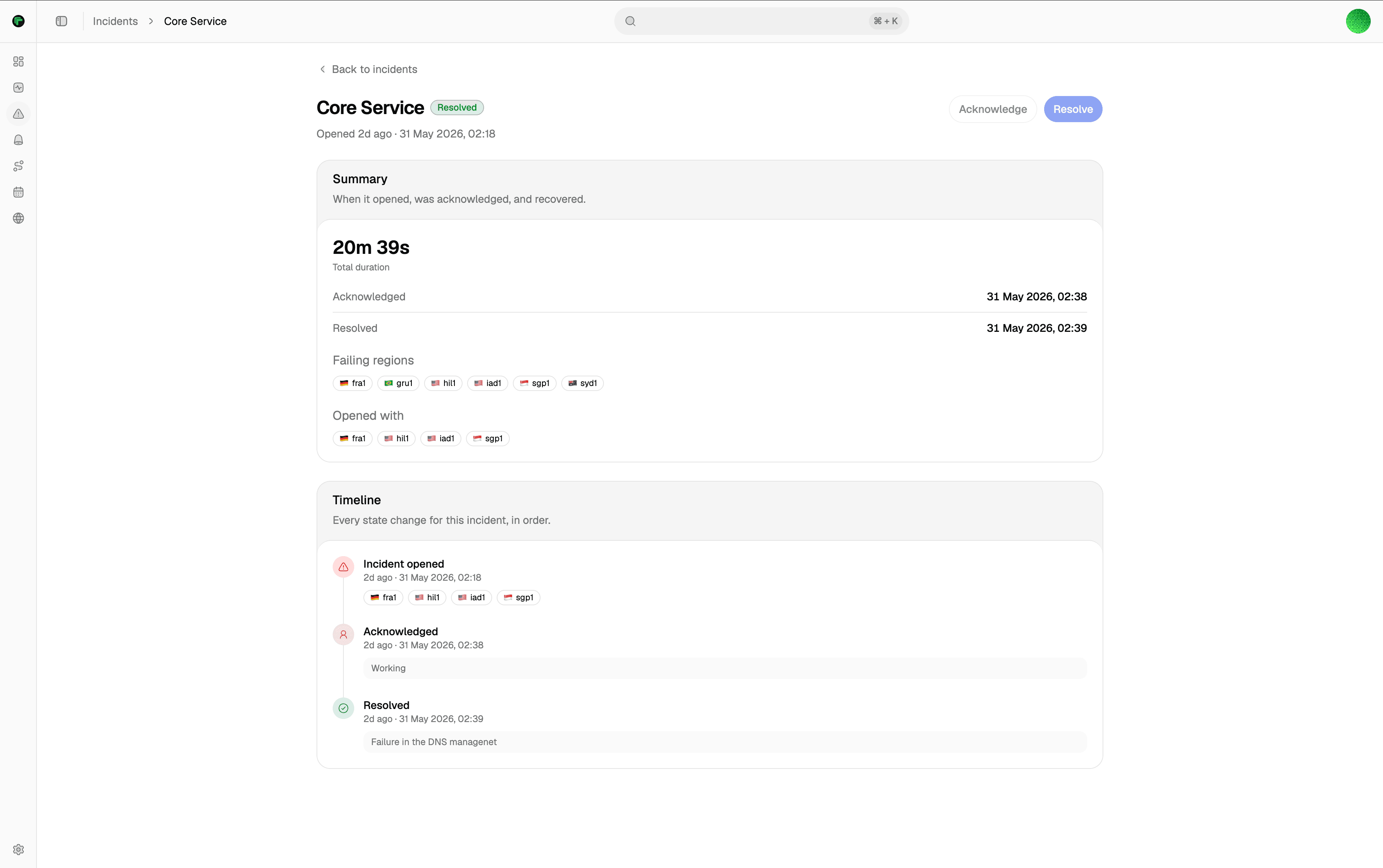
Full event timeline
Every change is on the timeline — open, acknowledge, resolve — with timestamps and the person behind each.
Acknowledge and resolve
Ack to stop escalation. Resolve by hand, or let it auto-resolve once the target recovers.
Fewer single-region pages
Consensus needs at least two regions to agree before an incident opens. Maintenance windows suppress pages during planned work.
Feeds your status page
Resolved incidents roll up into the 90-day history on your status page automatically, so customers see an honest track record.
Lifecycle
Opened on agreement. Resolved on recovery.
Consensus decides when an incident is real. You decide when it is handled. Everything in between is on the timeline.
Opens on consensus
An incident opens when at least two regions agree the monitor is down in the same round — one failing probe alone is not enough.
Acknowledge it
Ack from the dashboard. Acknowledging stops the escalation clock immediately.
Resolve it
Resolve by hand, or let it auto-resolve once the regions report the target healthy again.
Review what happened
Every open, acknowledge, and resolve stays on the timeline with timestamps and the actor, so reviewing the incident afterward is just reading the record.
Documentation
Setup guides
Step-by-step docs on docs.tallwatch.com for this part of the product.
How incidents open, get acknowledged, resolve, and when alerts are suppressed.
A page after regions agree — not after one probe fails.
Start on Free with multi-region consensus. No credit card.